EDK2 UEFI payload in Canoeboot
EDK2 is Intel’s reference implementation of the UEFI boot specification. It is free software, released under a BSD-style license; many proprietary vendors fork it for their own products, but Canoeboot uses Intel’s BSD licensed code in a special fork that enables use as a coreboot payload. Full source code of this EDK2 version is provided by Canoeboot in Canoeboot 26.11 or newer.
Canoeboot provides an entirely free distribution of EDK2, designed specifically for use with Canoeboot.
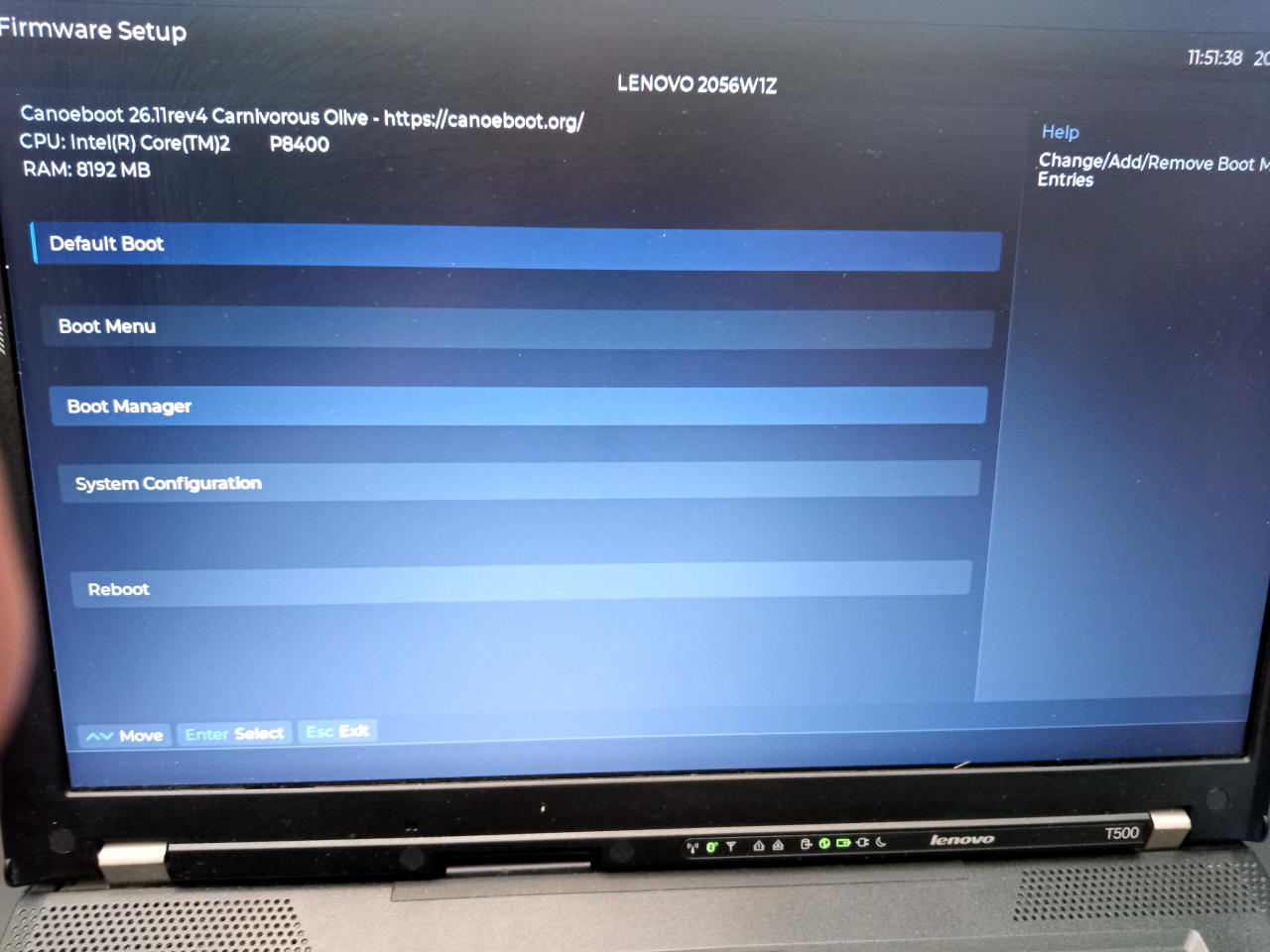
With this, Canoeboot provides a full industry-standard UEFI implementation, capable of booting any UEFI-compliant operating system. Many systems that boot using the kernel named Linux can be booted much more easily now; for example, use of systemd-boot with UKI is possible. We recommend that you use a free operating system on your Canoeboot machine, such as Parabola.
This page also contains general guidance about EDK2 on all boards that use it, which is nearly all boards. Legacy SeaGRUB payloads are also still provided, on all boards that have EDK2 available; a GRUB EFI build is also present in the boot menu of EDK2, for compatibility with older Canoeboot setups.
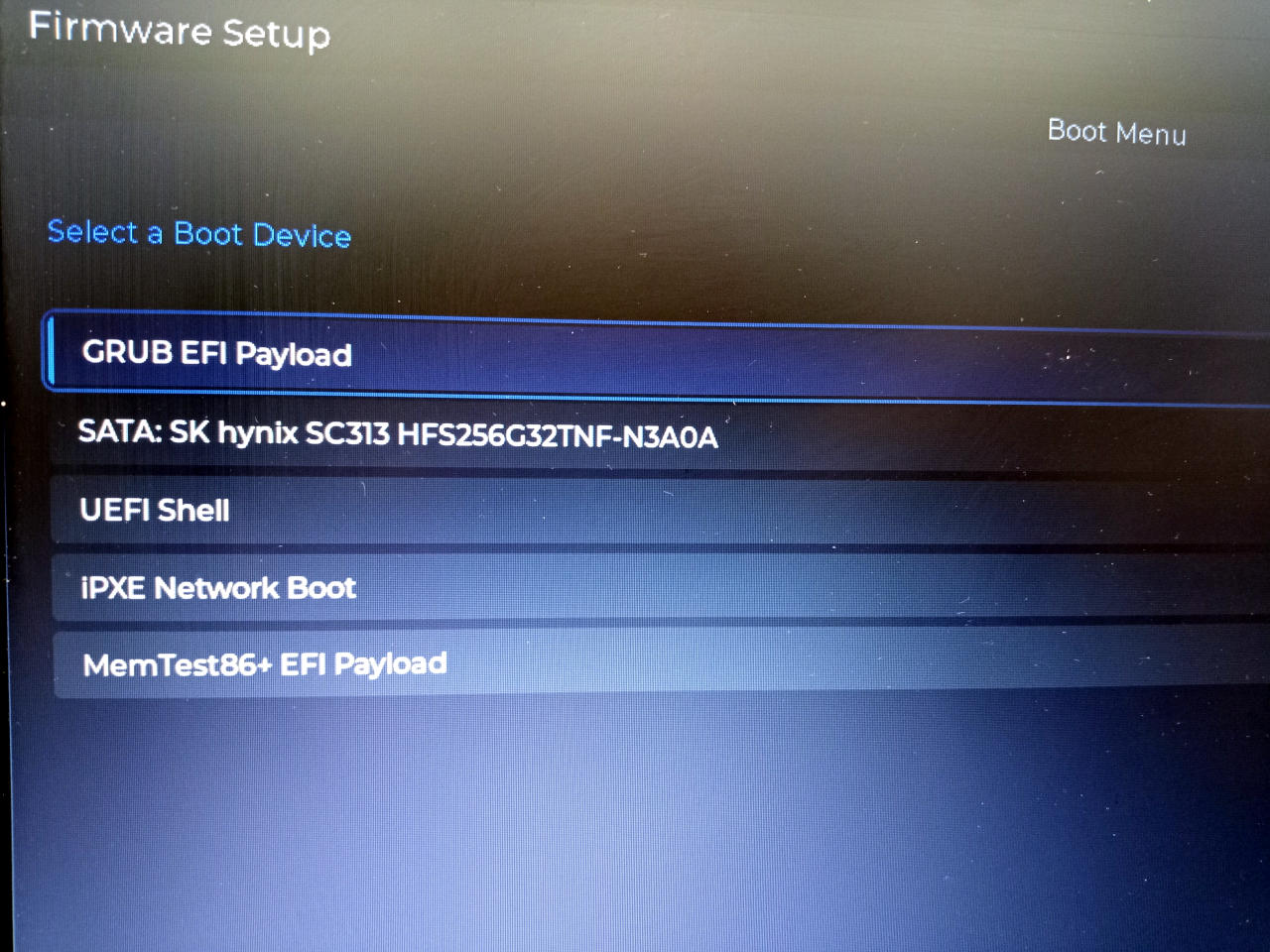
As shown in the photos, you can select a boot device; to change the automatic boot order, go to Boot Manager in the menu, and a menu will be present that lets you choose the order in which devices are booted. Press F10 to save any changes, and press Y to confirm when prompted. For users on the old SeaGRUB setups, an EFI GRUB payload is available in the boot menu as shown in the photos on this page.
Canoeboot also adds the following to EDK2:
- Added EFI GRUB build in PE32 section
- Added Memtest86+ in PE32 section.
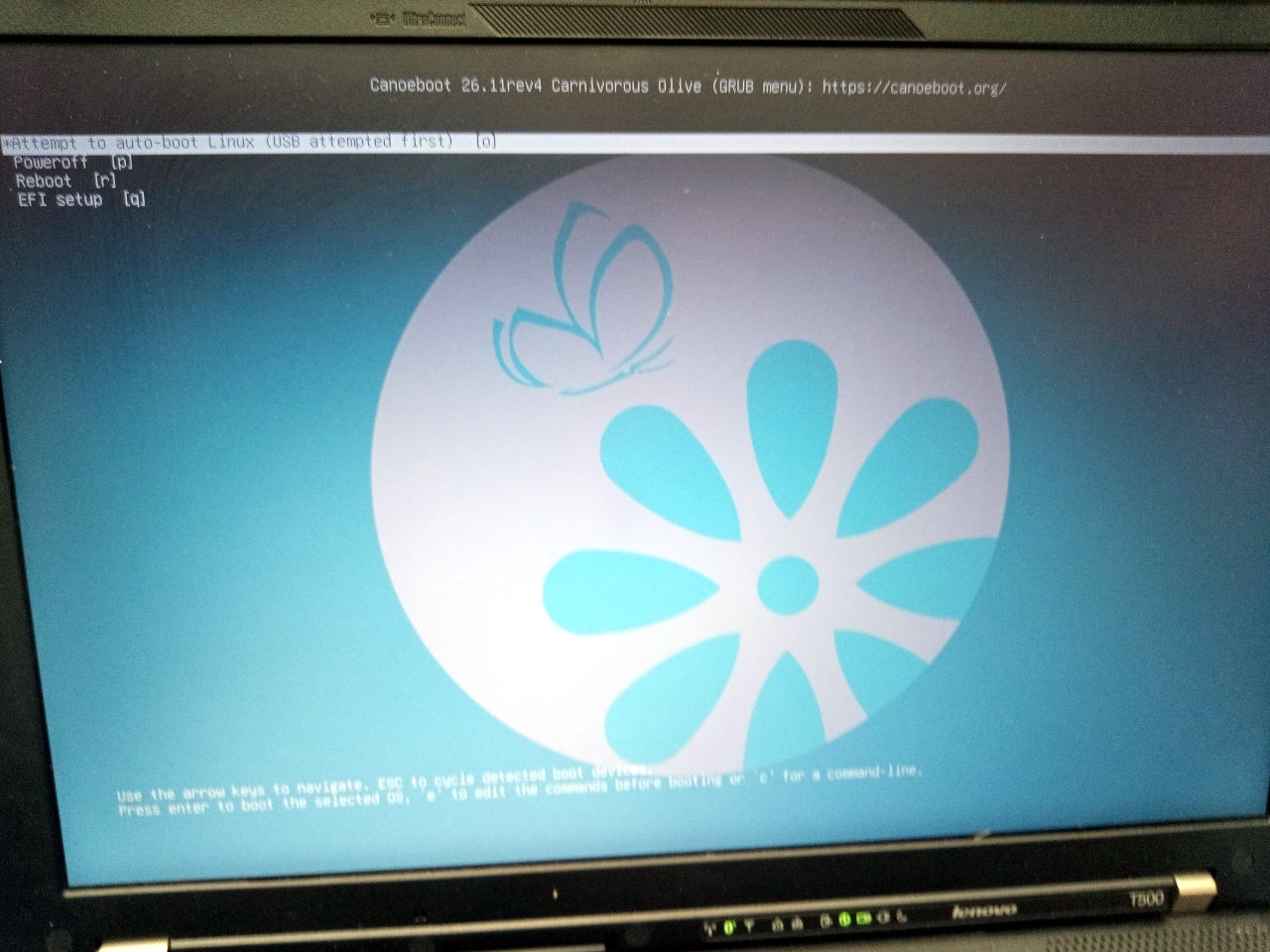
An iPXE payload is also provided in the build. This and the GRUB/Memtest payloads are available in the EDK2 boot menu.
General EDK2 guidance
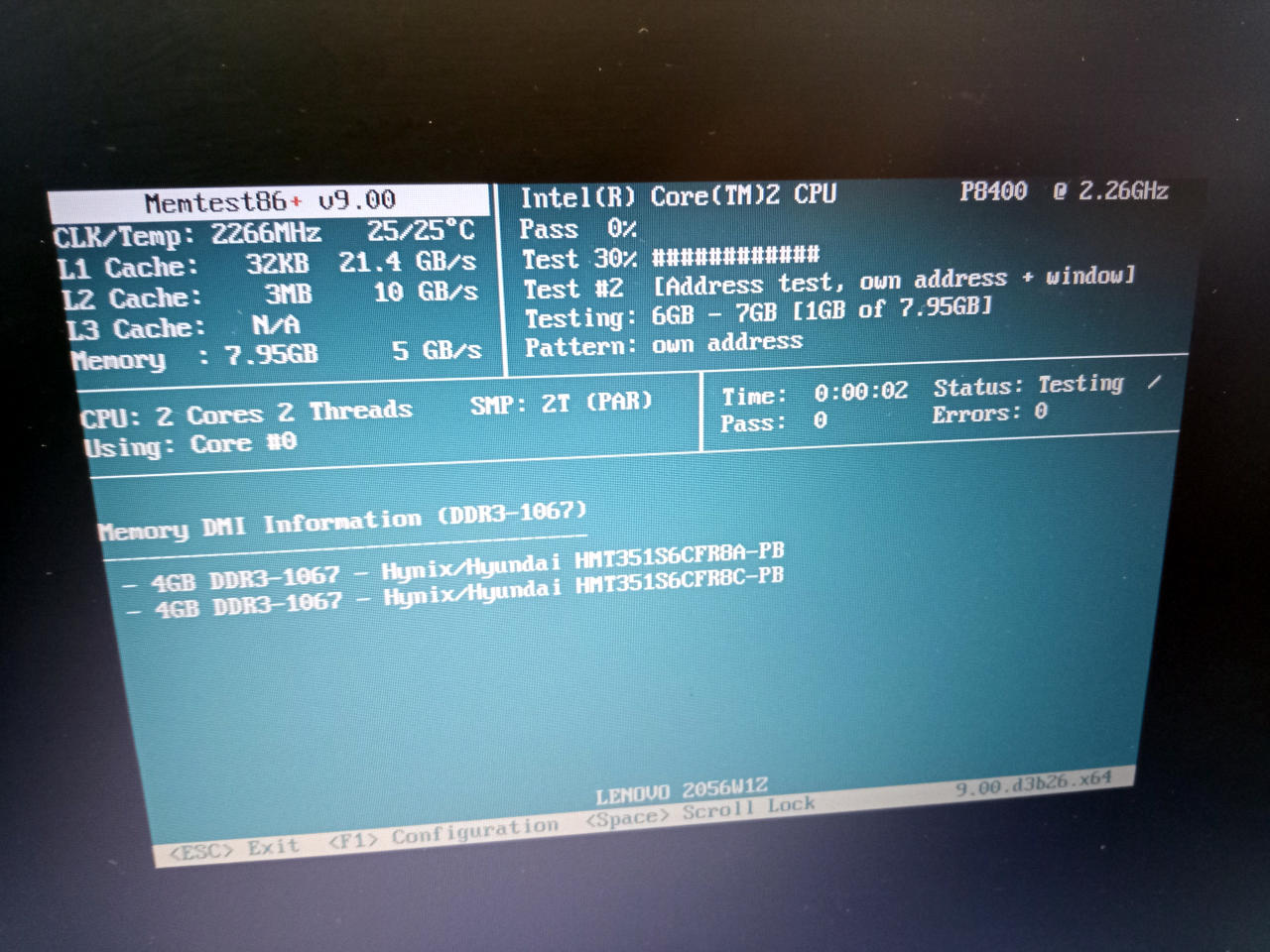
You can also use memtest86 plus, available in the EDK2 boot menu. Look at the photo.
WARNING: If migrating from another coreboot setup, most setups will likely use 512KB SMMSTORE, whereas Canoeboot uses 256KB SMMSTORE universally. This ensures that Canoeboot EDK2 with SMMSTORE can usually fit in the flash, with the smaller BIOS regions used in Canoeboot compared to some other coreboot distros. Please adapt accordingly. Canoeboot intentionally uses the default vendor flash layout on most boards, where an IFD is used, so that you can flash just the BIOS region and optionally (to disable the Intel ME) the IFD region to set the HAP bit. Please refer to the linked guide. Thus, please flash the entire BIOS region if migrating. After that, the notes below about fmap may be observed when upgrading from one Canoeboot version to another.
We use SMMSTORE by default. You can use this option in flashprog when updating the ROM (ONLY if your current flash layout is identical to the new one that you want to flash):
--fmap -i COREBOOTUse these options in flashprog, to flash just the COREBOOT section. This avoids overwriting SMMSTORE which contains settings, otherwise you will restore your settings to default when updating.
GRUB and Memtest86+ in PE32 work like the old coreboot payloads; old Canoeboot setups can be adapted easily. Our setup is made to be backward-compatible.
Besides this, you can pretty much use EDK2 like you would any other UEFI firmware. Most users should pick it up easily when they boot with it. This is the recommended default payload on x86 hardware in current Canoeboot releases, but we do still provide the classic SeaBIOS and GRUB payloads if you wish, on most boards.
Board support
The following boards have a full EDK2 UEFI payload available, full meaning that it also has GRUB and Memtest86 Plus in the boot menu, alongside iPXE:
dell_latitude_e4300_4mbdell_latitude_e5420_6mbdell_latitude_e5520_6mbdell_latitude_e5530_12mbdell_latitude_e6230_12mbdell_latitude_e6330_12mbdell_latitude_e6400_gpu_intel_4mbdell_latitude_e6430_12mbdell_latitude_e6530_12mbdell_latitude_e7240_12mbdell_optiplex_7010_sff_12mbdell_optiplex_780_mt_8mbdell_optiplex_780_mt_truncate_8mbdell_optiplex_780_usff_8mbdell_optiplex_780_usff_truncate_8mbdell_optiplex_9020_mt_12mbdell_optiplex_9020_sff_12mbdell_precision_t1650_12mbhp_elite_8300_cmt_16mbhp_elite_8300_usdt_16mbhp_pro_3500series_8mblenovo_thinkpad_r400_16mblenovo_thinkpad_r400_4mblenovo_thinkpad_r400_8mblenovo_thinkpad_r500_4mblenovo_thinkpad_t400_16mblenovo_thinkpad_t400_4mblenovo_thinkpad_t400_8mblenovo_thinkpad_t430_12mblenovo_thinkpad_t440p_12mblenovo_thinkpad_t500_16mblenovo_thinkpad_t500_4mblenovo_thinkpad_t500_8mblenovo_thinkpad_t530_12mblenovo_thinkpad_w500_16mblenovo_thinkpad_w500_4mblenovo_thinkpad_w500_8mblenovo_thinkpad_w530_12mblenovo_thinkpad_w541_12mblenovo_thinkpad_x200_16mblenovo_thinkpad_x200_4mblenovo_thinkpad_x200_8mblenovo_thinkpad_x230_12mblenovo_thinkpad_x230t_12mblenovo_thinkpad_x301_16mblenovo_thinkpad_x301_4mblenovo_thinkpad_x301_8mb
Due to lower flash size (CBFS section), these boards only have EDK2 and iPXE, but no GRUB EFI or MemTest86plus in flash:
hp_elite_8200_sff_8mb- this has EDK2-only images and GRUB images, butlenovo_thinkpad_t420_8mb- dittolenovo_thinkpad_t420s_8mb- dittolenovo_thinkpad_t520_8mb- dittolenovo_thinkpad_x220_8mb- ditto
NOTE: Even if GRUB and Memtest86 plus aren’t available in EDK2, all of these boards still have SeaBIOS and GRUB payloads available as standalone (GRUB using the SeaGRUB setup), for users who still want the legacy setup.
In Canoeboot 26.11 and up, EDK2 UEFI is now the preferred payload, and it is recommended that users switch to use of this payload by default. This makes booting operating systems much easier as it complies with the very standards by which most distros are designed these days.
Note that you can also use SecureBoot, but it’s not really needed on most setups. You might consider use of the EFI GRUB payload alongside Canoeboot’s hardened grub setup instead.
You can identify which image uses EDK2 because in Canoeboot 26.11 and up, the image filename will start with uefi_edk2. By comparison, the legacy setup will begin with bios_seabios_ or bios_seagrub_ which does not have EDK2; the txtmode bios_seabios_ setup may still be useful on some setups.
Users are advised to convert their existing installations. Note that if you were using the GRUB payload to boot the kernel named Linux, you can most likely just use the GRUB EFI payload as-is; this gives you a full UEFI runtime at boot, while bypassing the need for an EFI System Partition (ESP).
Markdown file for this page: https://canoeboot.org/docs/install/edk2.md
This HTML page was generated by the Canoeboot Static Site Generator.